How to play
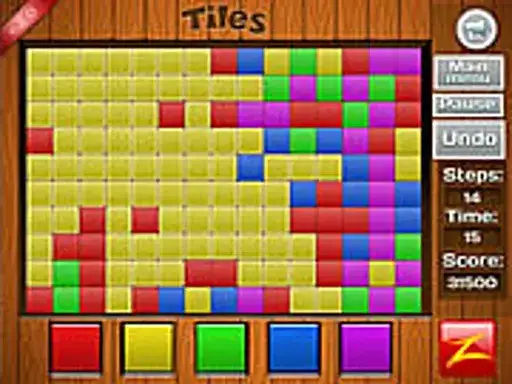
Tiles is a color puzzle. The developer says the objective is to change the whole screen to one single color in the minimum number of moves and the minimum time taken. You work toward one uniform shade.
Each move changes the board, and the game counts both your moves and your time, so a quick finish and a short move list are the two things you are working toward. The game is tagged for skill and precision, which suits a puzzle where each move should be chosen with care rather than tapped out at random.
Controls explained
The control is interact. You use the interact control to make your moves, and the game responds to what you select. There are no key bindings to learn and no complicated input to remember. Keep your pointer on the area you want to change and interact with it to move the board toward a single color.
Tips
- Plan a few moves ahead. Because the game tracks your move count, each interaction should bring more of the screen toward one color.
- Watch the clock as well as the moves. The developer sets both a move minimum and a time minimum, so a fast finish with too many moves is not the same as a clean one.
- Work from the color that already covers the most of the screen. Spreading that shade outward tends to reduce the number of changes left.
- Slow down on the last stretch. Precision matters more than speed once most of the board shares a color.
- Play again after a finish. Knowing the board layout helps you plan a shorter route on the next attempt.
FAQ
What is the goal in Tiles? The developer says the aim is to turn the entire screen into one single color. You are measured on how few moves you use and how quickly you finish.
Does the game count my moves? Yes. The objective set by the developer is to reach a single color in the minimum number of moves, and time taken is tracked alongside it.
How do I control the game? The control is interact, so you use the interact control to make your moves. There are no other inputs to set up.